Blog
If your cold emails aren’t getting replies, the problem is usually not the subject line. More often it’s the list itself: stale contacts, addresses that were never checked, or people who had no reason to care about your message in the first place. You can rewrite the copy a dozen times and it won’t fix any of that.
So this guide focuses on the list. It covers how to choose the right people, how to weigh your options for finding them (including buying verified data, which most guides avoid discussing honestly), how to check your work, and how to keep the whole process legal.
Quick summary:
- List quality matters more than the copy. 500 contacts who genuinely match your ideal customer will outperform 5,000 random ones.
- Set up your sending infrastructure before building the list. SPF, DKIM, DMARC, and a proper warm-up period should come first. Keep your bounce rate under 2%.
- Every sourcing method costs something, either time or money. A full comparison is below.
- Contact data decays quickly. Around 25 to 30% of a B2B list goes bad within a year, so verify before every campaign and refresh segments every 60 to 90 days.
- Cold emailing US businesses is legal under CAN-SPAM, as long as you use accurate sender information, include a physical address and unsubscribe link, and honor opt-outs within 10 business days.
What Counts As A Cold Email List?
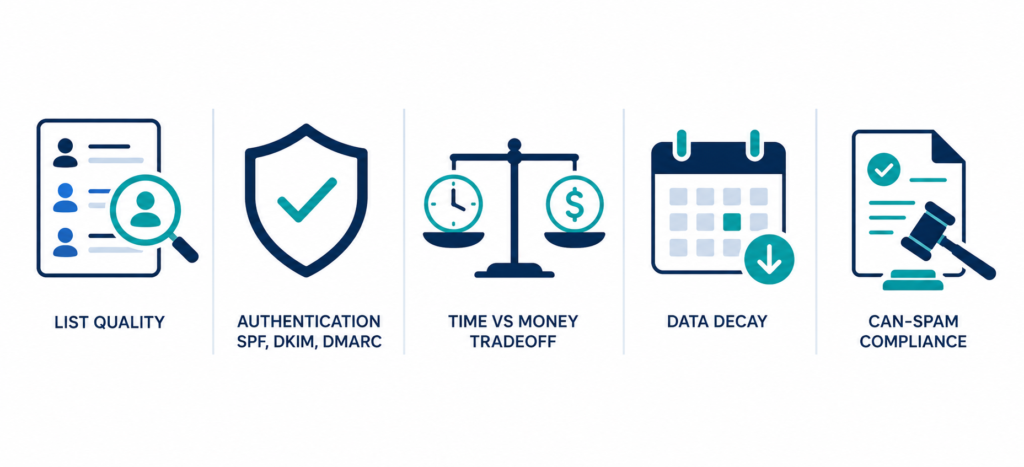
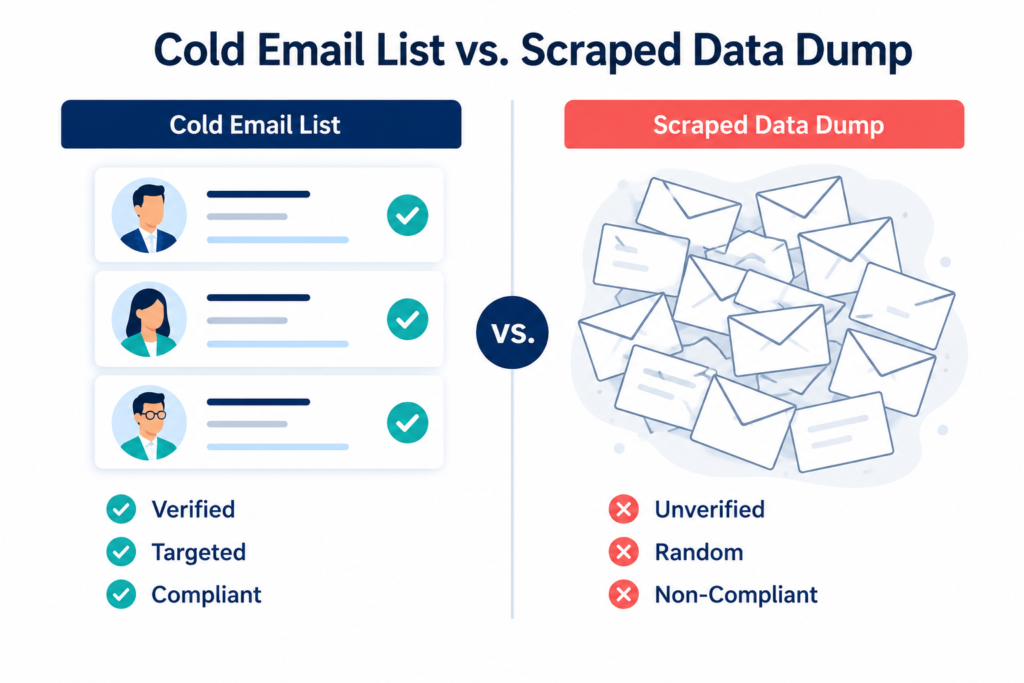
A cold email list is more than a spreadsheet of addresses. It’s a set of verified contacts, name, business email, job title, company, and ideally a few details you can use to personalize, for people who match your ideal customer but have never interacted with you before. It isn’t scraped data, and it isn’t a repurposed newsletter list. Three things separate a usable list from a bad one: the contacts actually fit your target market, every address can receive mail, and the list was collected and used in line with the CAN-SPAM Act.
Step 1: Define your ideal customer profile first
“VP of Marketing at a tech company” is not an ideal customer profile. It’s just a job title. A usable profile needs more detail:
- Firmographics. Industry, company size (headcount and revenue), and location. Location matters in the US both for time zones and because relevance often varies by state.
- The person. Specific job titles with buying authority, and the exact problem your product solves for someone in that role.
- Trigger events. Recent funding, hiring activity, leadership changes, or a shift in tech stack. Contacts tied to a recent trigger tend to respond at roughly 3 to 5 times the rate of contacts with no trigger, so prioritize them.
For example, a payroll software company might define its ideal customer as US accounting and finance directors at companies with 50 to 500 employees, based in states with more complex payroll requirements such as California, New York, and Texas, who posted finance-related job openings in the last 90 days. That level of detail is what turns a list into a working pipeline. If your ideal customer matches a common segment, such as accounting directors or small business owners, a targeted USA email list may already exist for it.
Step 2: Set up your sending infrastructure before anything else
This step is often skipped, which is a mistake. Even a strong list will land in spam if the sending domain isn’t ready. Before adding a single contact:
- Authenticate your domain. Set up SPF, DKIM, and DMARC records. Google and Yahoo now require this for bulk senders, so without it your emails won’t be delivered, regardless of list quality.
- Use a separate sending domain. A variant of your main domain keeps cold outreach from affecting your primary domain’s reputation.
- Warm up the domain. Increase volume gradually over 2 to 4 weeks before running full campaigns.
- Monitor your bounce rate. Keep hard bounces under 2%. Above that, inbox providers begin treating you as an unreliable sender, which affects every campaign that follows.
Step 3: Choose a sourcing method
Most articles on this topic advise against buying a list. Many of them are published by companies that sell access to their own contact database through a monthly subscription, which is still a form of buying data. It’s simply billed differently.
The real distinction isn’t building versus buying. It’s the difference between scraped, unverified data and licensed data that has actually been verified recently. With that in mind, here are the realistic options:
| Method | Typical cost | Time per 1,000 verified contacts | Quality risk |
| Manual research (LinkedIn, company sites, guessing email patterns) | Labor only | Very high, often 60 to 120+ hours per 1,000 | Low bounce risk once verified, but a high time cost |
| Finder tools (Hunter, Apollo.io, and similar) | Credit-based, roughly $30 to $150+/month per seat | Moderate, filtering and cleaning still takes days | Accuracy varies by tool and segment; always re-verify exports |
| Scraping (site scrapers, browser extensions) | Low-cost tools | Fast to collect, slow to clean | Highest risk: unverified addresses, spam traps, and it violates LinkedIn’s terms of service |
| Buying verified, licensed data | One-time purchase (EmailProLeads segments start at $99, unlimited use) | A few hours for segment selection and spot-checking | Low if the provider states verification dates and license terms; high with anonymous sellers |
Teams that get the best results tend to combine methods: they buy or generate a base segment, then manually research and personalize the top 10 to 20% of accounts worth the extra effort.
Step 4: Collect the fields that make personalization possible
A name and an email address alone will only produce generic messages. For each contact, aim to capture the full name, a verified business email (a direct address, not info@ or sales@), job title, company name and size, industry, location, and one detail useful for personalization, such as recent news, a trigger event, or their tech stack. Direct addresses matter here: role-based inboxes bounce more, convert worse, and are filtered more often. EmailProLeads’ United States email lists include direct contact emails along with title, company, and phone number, rather than generic mailboxes.
Step 5: Verify every address
B2B contact data decays at roughly 25 to 30% a year as people change jobs and companies close or merge. Verification is therefore an ongoing task, not a one-time step:
- Run the full list through a bulk verification service (typically a fraction of a cent per address) and remove invalid or catch-all-risky addresses.
- Remove role-based addresses such as info@, admin@, and sales@, along with known disposable domains.
- Deduplicate across sources. Combining multiple sourcing methods almost always creates overlap.
- Re-verify before every major campaign, and refresh segments every 60 to 90 days. At high sending volume, clean every 6 to 8 weeks instead.
Step 6: Stay compliant with US regulations
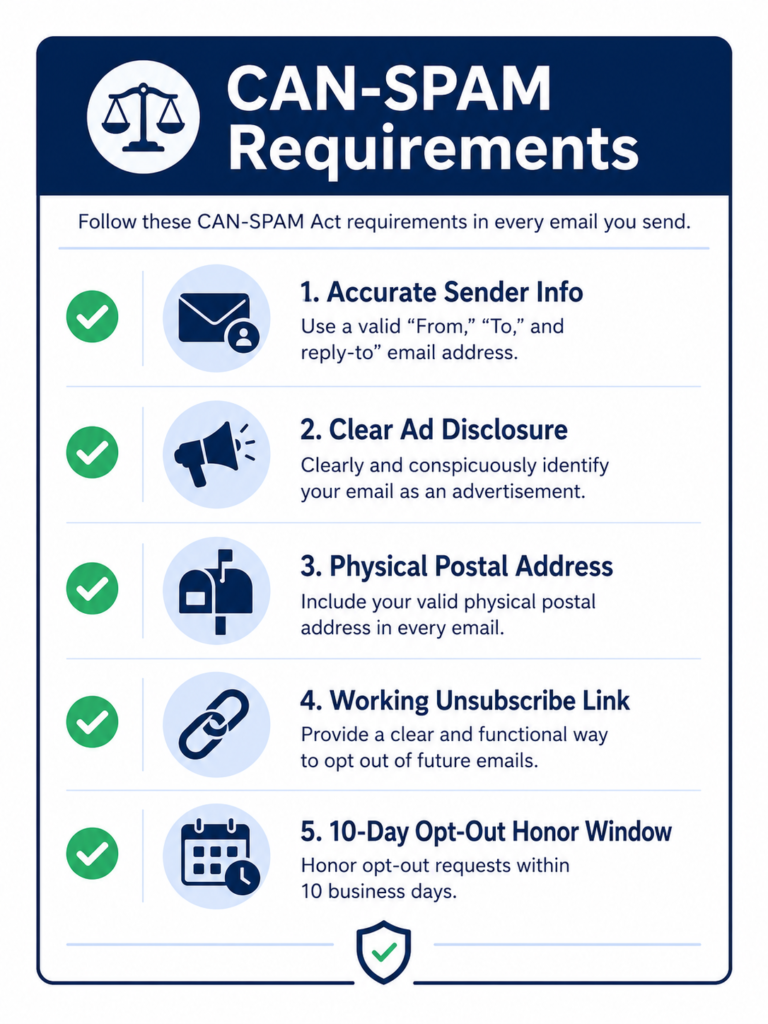
Cold emailing business contacts in the US is legal under the CAN-SPAM Act. Prior consent isn’t required, but every message must include:
- Accurate sender information and a subject line that isn’t misleading
- A clear indication that the message is a marketing communication
- Your valid physical postal address
- A working unsubscribe link, with opt-outs honored within 10 business days
- A suppression list, so anyone who opts out is never emailed again
Two areas beyond CAN-SPAM are worth noting. GDPR covers EU residents and generally requires a lawful basis before contacting them, so cold emailing personal addresses there carries risk; it’s safer to exclude those contacts. CASL covers Canada and is consent-based as well. Automating list building is fine on its own. What causes domains to be blacklisted is automating it in a way that ignores these rules. If you’re buying data, choosing a provider that discloses how it collects that data, rather than an anonymous seller, is itself a form of protection.
Step 7: Import and organize the list in your CRM
- Import in clean batches. One CSV per segment, with consistent column headers (first_name, email, title, company, state, hook), so mail-merge fields don’t break mid-campaign.
- Segment by ICP variable, not alphabetically. Industry, title, and trigger event together are the practical minimum. A good segment is narrow enough that one email angle works for everyone in it.
- Tag the source and verification date for every contact. You’ll need both when a segment’s bounce rate starts to rise.
- Keep suppression lists synced across every tool you send from. An opt-out in one platform needs to apply everywhere.
Common Mistakes That Undermine A Cold Email List
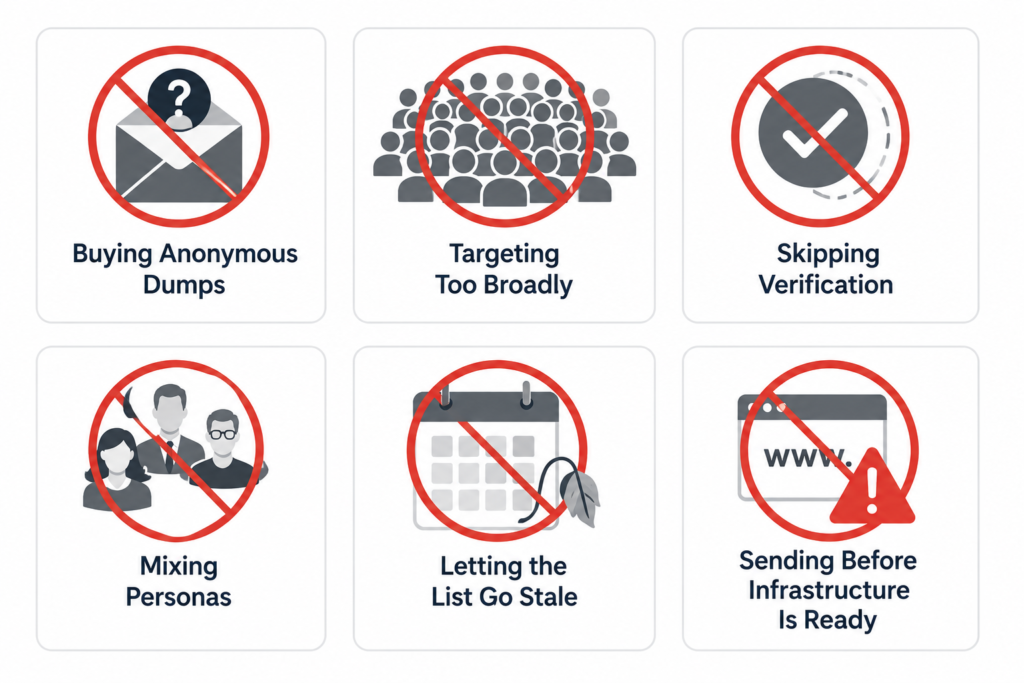
- Buying anonymous email dumps with no verification date or license attached. This practice is largely responsible for the reputation that buying data has.
- Targeting too broadly. 5,000 loosely related contacts will usually underperform 500 that actually fit your ideal customer profile.
- Skipping verification on tool exports or scraped data, then being surprised when deliverability drops.
- Mixing different personas into one segment, which makes real personalization difficult.
- Letting the list go stale. A list built well in January is noticeably outdated by summer.
- Sending before infrastructure is ready. No authentication, no warm-up, and sending from the main company domain together are close to a guarantee of landing in spam.
Frequently asked questions
How do I build a cold email list step by step?
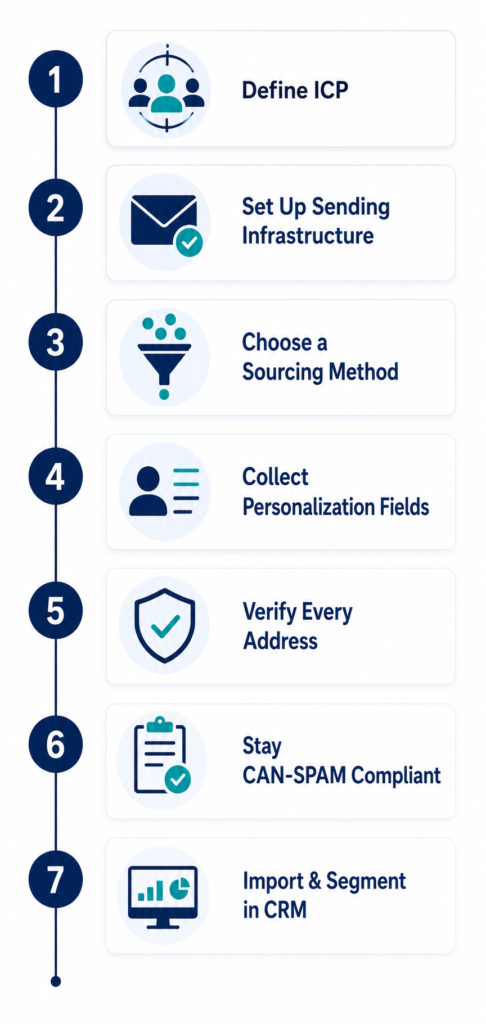
Define a specific ideal customer profile, set up authenticated sending infrastructure (SPF, DKIM, DMARC, a warmed domain), source contacts through manual research, finder tools, or licensed verified data, collect personalization details, verify every address, comply with CAN-SPAM, then import everything into segmented, tagged batches in your CRM.
Is it legal to build and email a cold email list in the US?
Yes. CAN-SPAM permits unsolicited commercial email to business contacts as long as sender information is accurate, there is a physical postal address and a working unsubscribe link, and opt-outs are honored within 10 business days. GDPR and CASL are stricter, so international contacts are worth segmenting separately.
Should I build my own cold email list or buy one?
Yes. CAN-SPAM permits unsolicited commercial email to business contacts as long as sender information is accurate, there is a physical postal address and a working unsubscribe link, and opt-outs are honored within 10 business days. GDPR and CASL are stricter, so international contacts are worth segmenting separately.
Should I build my own cold email list or buy one?
Both can work. Data quality is what matters, not how it was obtained. Building the list yourself gives full control but requires significant time. Buying works well when the provider verifies data on a regular schedule, sells direct addresses instead of role-based ones, and provides a written usage license. A hybrid approach, a verified purchased base plus manual work on priority accounts, tends to perform best.
How do I verify email addresses on a cold email list?
Run the list through a bulk email verification service before every campaign, remove invalid, catch-all-risky, role-based, and disposable addresses, and deduplicate across sources. Keep hard bounces under 2%, and re-verify every 60 to 90 days, since the data decays 25 to 30% a year.
What tools help build a cold email list?
rospecting tools such as LinkedIn Sales Navigator, Hunter, and Apollo.io are useful for discovery. Bulk verification services handle validation. A CRM or sending platform manages segmentation and suppression. Licensed providers such as EmailProLeads sell pre-verified US segments outright. LinkedIn scraping extensions are worth avoiding, since they violate LinkedIn’s terms and usually return unverified data.
How many contacts should a cold email list have?
Fewer than most people assume. A tightly matched list of 300 to 1,000 contacts per segment, properly personalized, will consistently outperform a larger, looser list. Grow by adding new verified segments rather than loosening targeting.
Can I test the quality of purchased data before buying?
Yes. A free sample is the fastest way to check. EmailProLeads offers a free USA email database so you can test deliverability and field accuracy against your own verification tool before purchasing a full segment.