Blog
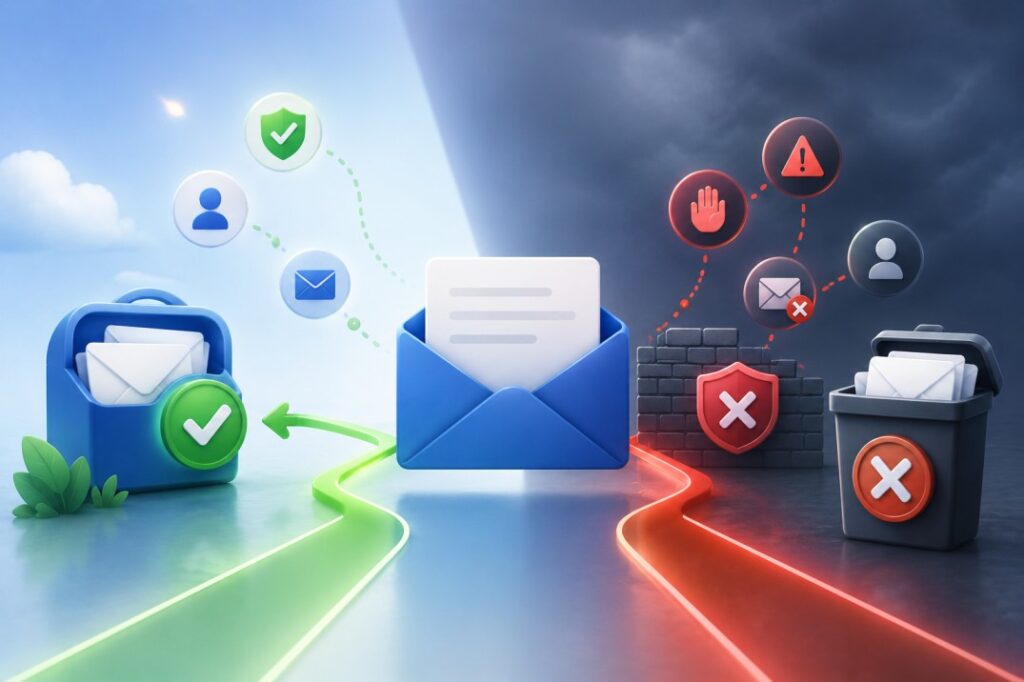
You can spend hours writing a great email, but it won’t achieve much if it never reaches the inbox.
Many businesses assume the problem is their subject line or email copy. In reality, email deliverability depends on several factors, including the quality of your contact data, your sender reputation, your domain setup, and how recipients interact with your emails.
The good news is that many deliverability problems can be avoided. Keeping your contact list clean, sending emails to the right audience, and following basic email best practices can significantly improve your chances of reaching the inbox.
In this guide, we’ll explain what email deliverability means, why emails sometimes fail to reach recipients, and what you can do to improve your results before launching your next campaign.
What Is Email Deliverability?
Email deliverability refers to the ability of an email to reach the recipient’s mailbox successfully. Deliverability is different from email delivery.
An email may be delivered to the receiving mail server but still end up in the spam folder instead of the inbox. Good email deliverability means your emails consistently reach the inbox where recipients are more likely to see and open them.
Several factors influence deliverability, including:
- Contact data quality
- Sender reputation
- Email authentication
- Bounce rates
- Recipient engagement
- Sending behaviour
These factors work together, which means improving only one area may not solve every deliverability problem.
How Email Deliverability Works
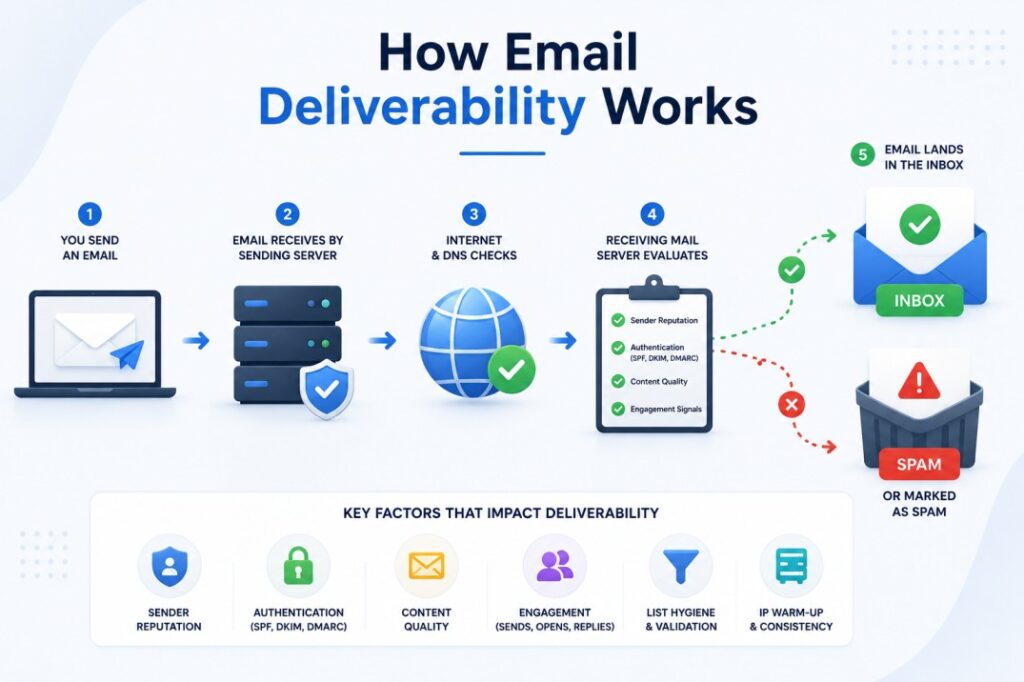
Every email follows a series of checks before it reaches the recipient. First, your email is sent from your domain to the recipient’s mail server. The receiving server then checks several things before deciding what to do with the message.
Depending on the results, your email may:
- Arrive in the inbox
- Go to the Promotions tab
- Be filtered into Spam
- Bounce because the address is invalid
- Be rejected completely
The mail server looks at many signals before making that decision. It checks whether your domain is authenticated, whether your sender has a good reputation, whether the recipient’s email address is valid, and whether previous recipients have engaged with your emails.
Even if your message is well written, poor contact data or a damaged sender reputation can reduce the chances of reaching the inbox.
Why Your Emails Don’t Reach the Inbox
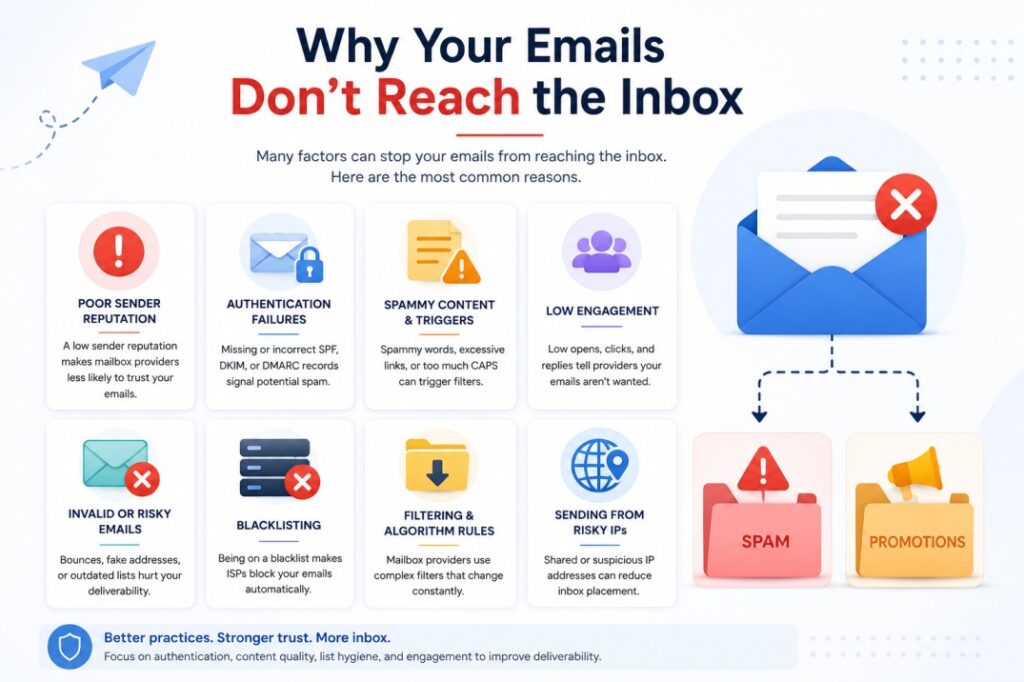
There isn’t usually a single reason why emails fail to reach recipients. In most cases, several factors contribute to poor deliverability.
Poor Contact Data
One of the most common reasons is outdated or inaccurate contact data. Business information changes constantly. Employees change jobs, companies update their domains, and email addresses become inactive. Sending emails to outdated contacts often leads to hard bounces, which can damage your sender reputation over time.
Before starting any campaign, it’s important to make sure your contact list contains accurate and relevant business information.
High Bounce Rates
Every email campaign experiences some bounces, but consistently high bounce rates are a warning sign.
Hard bounces happen when an email address no longer exists or cannot receive messages. Soft bounces are usually temporary and may occur because the recipient’s mailbox is full or the server is unavailable.
If too many emails bounce, mailbox providers may begin treating future campaigns as lower quality.
Spam Complaints
If recipients regularly mark your emails as spam, mailbox providers take notice.
Sending relevant emails to people who are likely to be interested helps reduce spam complaints and protects your sender reputation.
Low Engagement
Mailbox providers also monitor how recipients interact with your emails.
If very few people open your emails, click links, or reply, future campaigns may become less likely to reach the inbox.
This is why targeting the right audience is just as important as writing a good email.
Poor Sender Reputation
Your sender reputation reflects how trustworthy mailbox providers believe you are.
Repeated bounces, spam complaints, sending to outdated lists, or sudden spikes in email volume can all lower your reputation.
Once your reputation drops, even legitimate emails may struggle to reach the inbox.
Missing Email Authentication
Email authentication helps mailbox providers confirm that your emails are genuinely coming from your domain.
Three common authentication methods are:
- SPF
- DKIM
- DMARC
These records reduce the risk of email spoofing and improve trust between your sending domain and receiving mail servers.
Authentication alone won’t guarantee inbox placement, but it forms an important part of a healthy email programme.
How Contact Data Quality Affects Email Deliverability
Many articles focus entirely on technical settings such as SPF or DKIM. Those settings matter, but they can’t fix poor contact data.
If your contact list contains invalid email addresses, outdated employee records, duplicate contacts, or irrelevant recipients, your campaign can run into problems before the first email is even opened.
For example, sending emails to former employees often results in hard bounces because the addresses no longer exist. Repeated hard bounces can weaken your sender reputation, making it harder for future emails to reach the inbox.
Role-based addresses such as info@, support@, or admin@ can also produce lower engagement because they’re shared by multiple people and may not reach the person responsible for making decisions.
A clean, well-maintained contact database helps reduce unnecessary bounces and ensures your emails are sent to people who are more likely to engage with your message.
How to Improve Email Deliverability
Improving email deliverability isn’t about changing one setting. It comes from following good practices before every campaign.
Here are some of the most effective ways to improve your chances of reaching the inbox.
Start With Quality Contact Data
The quality of your contact list has a direct impact on your campaign.
If your list contains invalid email addresses, outdated employee records, duplicate contacts, or people who aren’t part of your target audience, your campaign is more likely to experience higher bounce rates and lower engagement.
Before sending emails, make sure your contacts are relevant, accurate, and up to date.
Verify Email Addresses
Email addresses become outdated over time as employees change companies or organisations update their domains.
Verifying your list before a campaign helps identify invalid or inactive addresses, reducing unnecessary hard bounces.
If you’ve stored a contact list for several months, it’s a good idea to verify it again before using it.
Remove Duplicate Contacts
Duplicate records can result in the same person receiving multiple copies of your email.
Apart from creating a poor experience for recipients, duplicate contacts can also affect reporting and campaign performance. Review your database regularly and remove duplicate records before sending.
Segment Your Audience
Sending the same message to every contact rarely produces the best results.
Instead, divide your audience into smaller groups based on factors such as:
- Industry
- Job title
- Company size
- Business location
- Department
Targeted campaigns usually generate better engagement because the content is more relevant to the recipient.
Send Relevant Content
People are more likely to open and respond to emails that match their interests or business needs.
Take time to personalise your outreach where possible. Even small details, such as mentioning the recipient’s industry or company, can make your email feel more relevant.
Higher engagement sends positive signals to mailbox providers and supports better deliverability over time.
Set Up Email Authentication
Before sending business emails, make sure your domain has the correct authentication records.
These include:
- SPF
- DKIM
- DMARC
These records help mailbox providers verify that your emails are legitimate and reduce the risk of spoofing.
Although authentication is important, it works best when combined with good contact data and responsible sending practices.
Monitor Campaign Performance
Every campaign provides useful information.
Keep an eye on metrics such as:
- Bounce rate
- Open rate
- Click rate
- Spam complaints
- Unsubscribe rate
A sudden increase in bounce rates or spam complaints may indicate that your contact data needs to be reviewed.
Email Deliverability Checklist
Before sending your next campaign, work through this checklist.
✓ Verify business email addresses.
✓ Remove duplicate contacts.
✓ Remove hard bounces from previous campaigns.
✓ Check that your audience matches your target market.
✓ Confirm SPF, DKIM, and DMARC are configured.
✓ Personalise your email where possible.
✓ Avoid sending to outdated contact lists.
✓ Test your campaign with a small group before sending it to everyone.
Even a simple review like this can help reduce common deliverability issues.
Common Email Deliverability Mistakes
Many deliverability problems are caused by small mistakes that build up over time.
Buying Low-Quality Contact Data
The cheapest contact list isn’t always the best choice.
Poor-quality databases often contain outdated contacts, missing information, and irrelevant businesses. These issues increase the risk of bounced emails and wasted outreach.
Sending to Old Lists
Business data changes constantly.
Using a contact list that hasn’t been updated for months can result in higher bounce rates because employees may have changed roles or left the company.
Ignoring Bounce Reports
Bounce reports provide valuable information.
If the same invalid email addresses continue appearing in multiple campaigns, remove them from your database instead of sending to them again.
Sending Too Many Emails at Once
Suddenly increasing your sending volume can attract attention from mailbox providers.
If you’re using a new domain, gradually increasing your email volume is generally a better approach than sending thousands of emails immediately.
Focusing Only on Email Copy
Many businesses spend hours improving subject lines while overlooking the quality of their contact data.
Even a well-written email will struggle to perform if it’s sent to invalid or irrelevant contacts.
How EmailProLeads Helps Businesses Build Better Contact Lists
Email deliverability starts long before an email is sent. It begins with the quality of the contact data.
EmailProLeads focuses on providing targeted B2B contact databases that help businesses reach the right audience instead of relying on broad, untargeted lists. Contacts can be filtered by industry, country, company size, job title, department, and other business criteria, making it easier to build campaigns around a specific audience.
Another advantage is the one-time payment option, which allows businesses to purchase customised contact lists without committing to a monthly subscription. This approach works well for agencies, recruiters, event organisers, startups, and businesses running occasional outreach campaigns.
Like any contact database, it’s still good practice to verify your list before launching a campaign, especially if it has been stored for some time.
Final Thoughts
Email deliverability isn’t determined by a single factor. It’s influenced by the quality of your contact data, your sender reputation, your domain setup, and the way recipients respond to your emails.
While technical settings such as SPF, DKIM, and DMARC are important, they can’t compensate for outdated or inaccurate contact information. Starting with a clean, targeted contact list gives your campaigns a stronger foundation and helps reduce avoidable problems such as hard bounces and poor engagement.
Before launching your next campaign, review your contact data, remove outdated records, verify email addresses where needed, and focus on reaching people who are genuinely relevant to your business. Those simple steps can make a noticeable difference to your email deliverability over time.
Frequently Asked Questions
What is email deliverability?
Email deliverability is the ability of an email to successfully reach the recipient’s inbox instead of being rejected, bounced, or filtered into spam.
Why do emails go to spam?
There are several possible reasons, including poor sender reputation, high bounce rates, spam complaints, missing email authentication, and low engagement. Poor contact data can also contribute by increasing the number of invalid recipients.
Can contact data affect email deliverability?
Yes. Sending emails to outdated or invalid contacts often leads to hard bounces, which may affect your sender reputation over time.
Does email verification improve deliverability?
Email verification helps identify invalid email addresses before sending a campaign. While it doesn’t guarantee inbox placement, it can reduce unnecessary hard bounces.
What is a good email bounce rate?
Although acceptable bounce rates vary, many email marketers aim to keep total bounce rates below 2%. Higher rates may indicate problems with contact quality or list maintenance.
Should I verify a purchased contact list?
Yes. Even if a provider regularly updates its database, business information changes continuously. Running another verification before sending is a sensible step, particularly if the list has been stored for several weeks or months.